If your rankings look stable but clicks fell, AI Overviews are a prime suspect. Google now writes an answer at the top of many results pages and links a few sources. Searchers often stop there.
You cannot wait for a perfect dashboard. The current Search Console setup already answers three questions a small business needs: how often your pages appear in AI features, which URLs get that visibility, and which queries show high impressions with weak CTR.
This guide shows how to track AI Overview traffic in Search Console with the official reports, the Web Performance workaround, and a weekly spreadsheet any owner can run in 20 minutes.
What is AI Overview-driven traffic and why does it matter?
AI Overview-driven traffic is visits that start when a searcher clicks a source link inside Google’s generated answer block, not a classic blue link. Those clicks still count as organic search in Search Console’s Web type. Coverage is now near half of tracked queries, and CTR on those queries is still below pages with no Overview.
An AI Overview is the generated summary Google places above organic results on many queries. It can include citations, product modules, and a “Show more” expansion. AI Mode is the separate conversational Search experience. Both are Google Search surfaces. Search Console only covers Google’s own features.
AI Overview-driven traffic matters because coverage is no longer a niche experiment. BrightEdge reported AI Overviews on about 48% of tracked queries in February 2026, versus about 31% a year earlier. That is a 58% year-over-year jump in how often the block appears.
Clicks still happen, but they happen less often. Seer Interactive’s tracker, covering about 53 brands and 5.47 million queries, saw organic CTR on AI Overview queries hit 1.3% in December 2025, then 2.4% in February 2026. Searches with no Overview sat near 3.3% CTR. Cited pages did better than uncited ones: about 2.1% CTR with a citation versus about 0.9% without.
For a local shop or a service site, that math hits informational pages first: “how to,” “what is,” “best,” and comparison queries. Product and appointment pages can still convert the clicks that do arrive. That is why Professional SEO work now includes measuring AI surfaces, not only position 1.
Can Search Console track AI Overview traffic?
Yes, with limits. Search Console records AI Overview and AI Mode appearances inside Web performance, and a separate Generative AI report breaks impressions down by page, country, device, and date. It doesn’t isolate clicks. Impression counting follows standard SERP rules, so a URL appearing as both a citation and a blue link counts as one impression, not two.
Rollout and limits
Google launched dedicated Search and Discover generative AI reports on June 3, 2026, then confirmed on August 31, 2026 that they’d rolled out worldwide. Sites with too few AI impressions may still show no report, and some can lag. The reports show impressions, pages, countries, dates, and device (Search side), viewable by hour, day, week, or month, but still lack clicks, CTR, and query lists.
Mueller’s clarifications
John Mueller confirmed the Gen-AI report is just a filtered view of Web data, not extra traffic. Position reflects the AI block’s placement on the page, not your link’s rank inside it. A link counts once rendered, even if unseen, though “Show more” links count only after expansion. He also confirmed a URL appearing as both a citation and blue link counts as one impression.
Older claims about a “Search appearance = AI Overviews” filter were never official, Mueller called them fabricated. So stick to the real Generative AI and Web Performance reports.
How to track AI Overview traffic in Search Console?
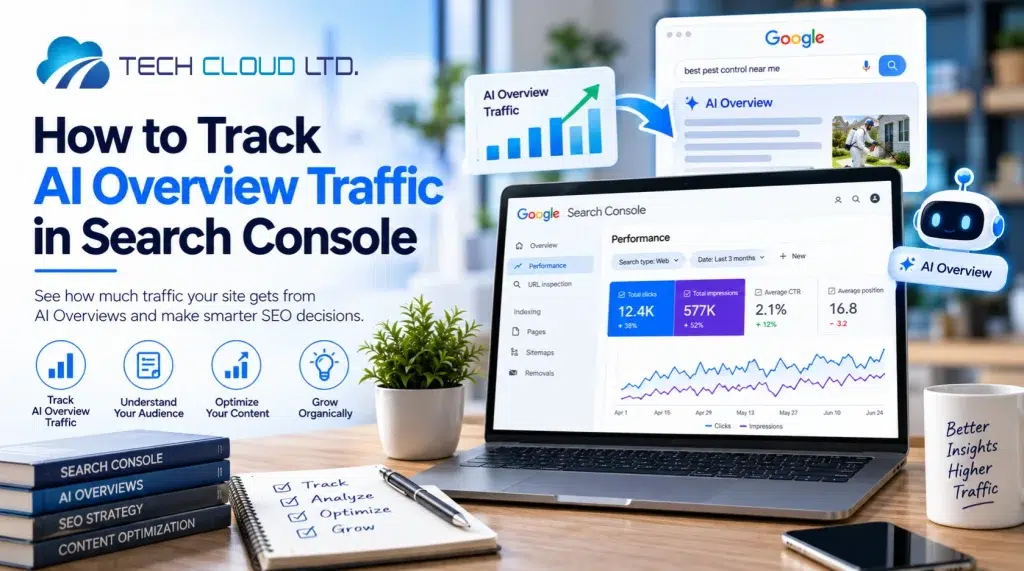
Getting mentioned in generative AI responses isn’t enough. Knowing how to track AI overview traffic in Search Console is equally important. Start by opening the Generative AI Search report for impression and URL data. Then use Performance > Search results (Web) for clicks, CTR, and queries. Compare 28-day windows, flag high-impression low-CTR terms, filter long questions with regex, and verify the SERP in incognito. Export weekly. Never sum Gen-AI impressions with Web impressions.
You need two views because Google splits visibility from clicks. The Generative AI report answers “did we appear in the AI block?” The Web Performance report answers “did people click?” The methods below work for a single-location business with one Search Console property.
Method 1: Read the Generative AI report
- Open Search Console and find the Search Generative AI performance report (Search view). Google runs separate Search and Discover reports for generative features. If it’s missing, your property likely has too few AI impressions yet.
- Pull four numbers for the last 28 days: total AI impressions, top pages, top countries, and device split. An impression here means your URL appeared in a generative AI feature in Search.
- Export the Pages table and sort by impressions. These URLs are your citation candidates. Later, match each one against Web clicks from Performance > Pages for the same date range.
- Check the device breakdown. Mobile often shows more AI surface exposure since the Overview takes up more of the first screen.
Note: Treat your first full 28 days as a baseline, not a trend. Since the worldwide rollout landed August 31, 2026, most sites don’t have year-over-year data yet.
Method 2: Use Web Performance for clicks and CTR gaps
- Go to Performance > Search results, set Search type to Web, and enable Total clicks, Total impressions, Average CTR, and Average position.
- Set the comparison to the last 28 days vs. previous 28 days. Impressions holding steady or rising while clicks drop is the pattern practitioners use as an AI Overview proxy, since clicks aren’t split out directly.
- In the Queries tab, sort by impressions. Flag queries with strong position (roughly 1 to 3) and CTR well below your site average. A common cutoff is position near 1 with CTR under 2% on informational terms. This is a signal, not confirmation, so verify with an incognito search.
- In the Pages tab, sort by impression growth over the 28-day comparison. Informational guides often gain impressions while losing CTR when an Overview appears above them.
- Export your top 100 queries for 90 days (query, clicks, impressions, CTR, position). This becomes your working file for the remaining methods.
Method 3: Filter question-style queries with regex
- Go to Performance > Search results, click + New > Query > Custom (regex) > Matches regex, and paste ^(?:\S+\s+){9,}\S+$ to isolate queries with 10 or more words.
- Sort by impressions and compare CTR on this slice against all Web queries for the same period.
- Add a second filter for question phrasing when useful, such as how to|what is|what are|why|best|vs|versus|steps, since informational modifiers trigger Overviews most often.
Note: Treat this as a probability filter, not a full census. Short branded queries can still trigger Overviews, and some long queries won’t.
Method 4: Build a weekly AIO tracking set
- Pick 30 to 50 queries from your export, mixing transactional, how-to, and local terms.
- Search each one in incognito, matching your customers’ country, weekly for four weeks, then monthly. Note whether an Overview appears, whether your URL is cited, and whether a blue link also shows.
- Log everything in a simple table: query, Overview yes/no, cited yes/no, GSC impressions, GSC clicks, CTR, landing page. Update it weekly. After a month, you’ll see which pages earn citations versus which just sit under the block.
- For local SEO, add city-plus-service queries like “emergency plumber Dhaka” or “best dentist near me.” Since local packs and Overviews can share the page, track Maps actions and Web CTR separately so you don’t misattribute the drop.
- Track “cited in the Overview” as its own KPI, separate from ranking first in blue links. Seer’s data (about 2.1% CTR when cited versus about 0.9% when not) makes the business case for tracking it this way.
Method 5: Avoid double-counting
- Never add Generative AI impressions to Web impressions. Mueller has confirmed the Gen-AI report filters data already counted in Web, so combining them inflates visibility.
- Never report Gen-AI impressions as traffic. Google’s June 3, 2026 announcement covered impressions, pages, countries, devices, and dates, not clicks, and click data was still missing at the August 31, 2026 worldwide rollout.
- When a URL appears as both an Overview citation and a blue link, count it as one impression, matching Google’s same-URL rule.
- In GA4, Overview clicks still show up as google / organic, with no AI Overview label. Use Search Console for AI surface data and GA4 for on-site behavior after the click.
Method 6: A 20-minute monthly checklist for owners
Run this on the first Monday of the month:
- Generative AI Search report: 28-day impressions, top 10 pages, mobile share.
- Web Performance comparison: 28 vs prior 28, clicks vs impressions.
- Queries: top 20 by impressions with CTR below your site average.
- Regex 10-word filter: CTR versus all queries.
- Incognito check of 10 money queries: cited or not.
- One action: improve the page that has high AI impressions and weak Web CTR (clearer answer in the first 100 words, unique facts, visible sources).
That loop is enough for a beginner property. Agencies doing professional SEO at scale add SERP APIs and citation databases. You do not need those to start.
In conclusion
Search Console can track AI Overview traffic in 2026, but only if you use two reports as they actually work. The Generative AI Search report tells you which URLs appeared in AI Overviews and AI Mode. The Web Performance report still holds the clicks. Coverage is now on roughly 48% of tracked queries, CTR on those queries remains below non-Overview searches, and cited pages outperform uncited ones.
Start this week: open the Generative AI report, export 90 days of Web queries, apply the 10-word regex, and check 30 queries in incognito. Write the numbers down. That file is how you track AI Overview traffic in Search Console until Google ships click metrics.