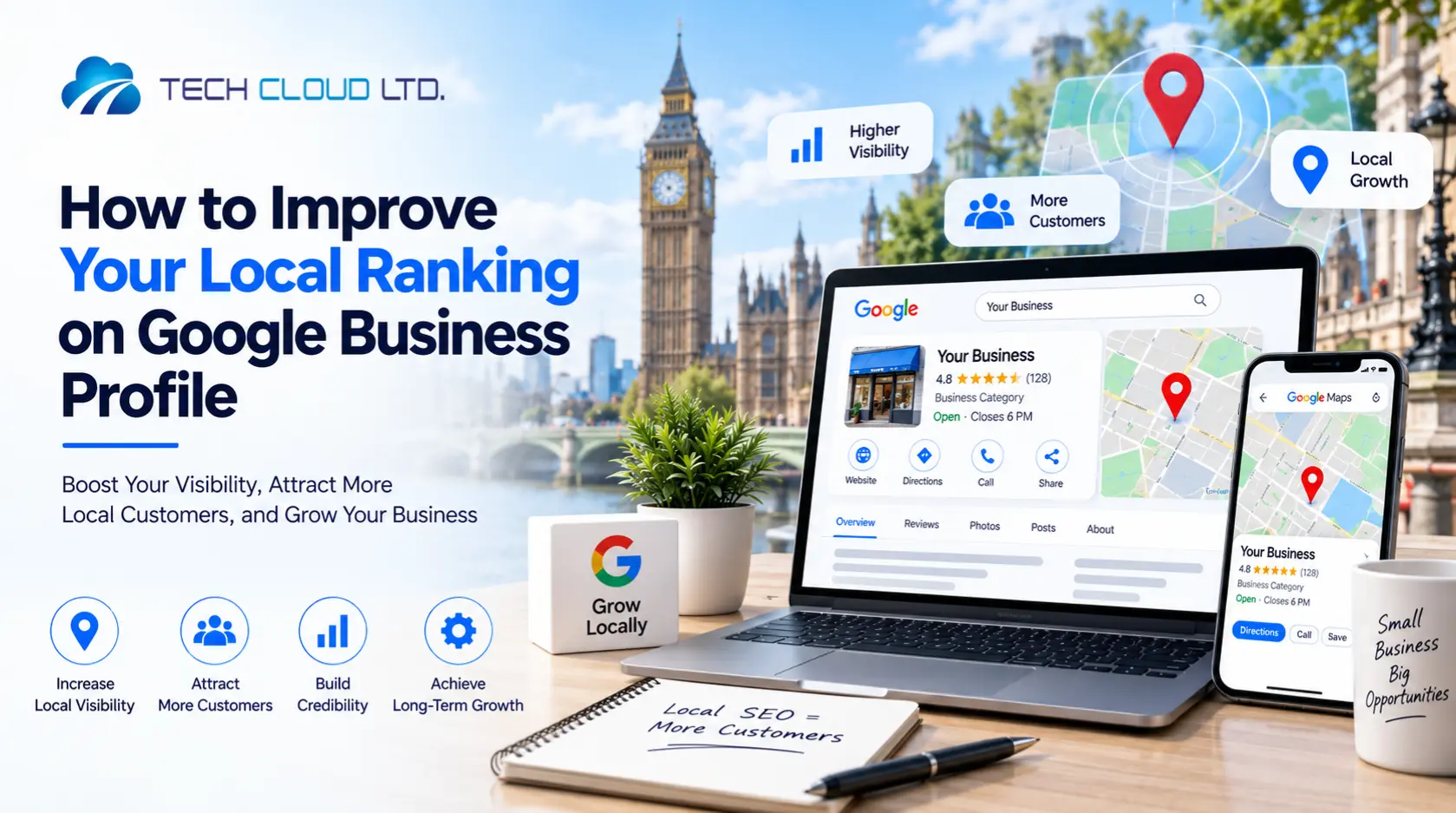
Imagine someone standing outside your business without ever touching the door. That moment of silent judgment happens inside Google every single day. Your Google Business Profile is the storefront they see first, and most people decide whether you’re worth their time before ever landing on your website. When that profile is optimized properly, it looks sharp, informative, and alive, and you earn attention. When it’s thin or stale, you lose the customer before the conversation even starts.
This simple listing can shape buying decisions long before someone reaches your site. Therefore understanding how to optimize Google Business Profile (GBP) is one of the most valuable skills for your local business.
In this ultimate blueprint, you will find everything you need to learn how to optimize your GBP. From the very basic to advanced optimization, we will not keep any stone unturned. We promise, you will learn and benefit from this guide if you read it to the end and apply the knowledge you will gain. So grab a cup of coffee and let’s begin the journey:
What Is Google Business Profile Optimization?
Google Business Profile (GBP) optimization is the ongoing process of tuning, polishing, and expanding the information in your listing so it appears more often and attracts more local customers. Google calls the shots on who appears in local results. You influence that decision by feeding your profile the right details, the right updates, the right signals. The more complete the profile, the more useful it becomes to searchers.
This matters for one simple reason. When someone in your area searches for a product or service, Google wants to show the most helpful options. If your profile is active and accurate, you increase your odds of landing on that results page that sits right under the search bar.
The platform lived under the Google My Business name for years, then shifted into the current Google Business Profile structure, and that shift expanded the number of features you can use to guide visibility.
Google studies what you publish to determine relevance, proximity, and prominence. Those three ingredients drive local rankings. If those signals look strong, the profile becomes far more likely to surface for nearby customers searching for a product or service.
GBP optimization is now an essential part of modern local SEO. It’s no longer optional if you want to reach more local customers interested in your offerings.
The Goal of GBP Optimization and Why It Matters for Local Businesses
Before delving into optimization, it’s important to understand the goal of tuning your business listing on Google and why it matters so much to your business’s success.
1. Achieving High Local Search Visibility and Better Rankings
Ranking in local search is a messy mix of geography, relevance, and public signals. Optimization helps you influence all three. Businesses that optimize their Google Business Profile see higher placement in the Local Pack, greater map visibility, and a better chance of showing up for discovery searches such as ‘plumber near me’ or ‘bakery open now’.
A strong GBP profile sends clear signals. Google sees updated hours, clear categories, helpful descriptions, active posts, customer reviews, and consistent data across the web. All of these little touches tell the system your business deserves to be shown. Without them, even a great company ends up buried.
2. Driving Customer Engagement and Conversions
A complete Google Business Profile is a selling tool. Once it’s fully built and optimized, potential customers can call, message, navigate, book, order, or compare you against competitors within seconds.
People behave differently when everything they need is right in front of them. An optimized profile increases the chances they choose you because it removes uncertainty. This plays a huge role in a world full of zero-click searches, where users gather the info they want straight from Google without ever opening a site. Treat your GBP like a free storefront that never closes. An optimized one earns calls while you sleep.
3. Building Trust, Credibility, and Brand Recognition
The profile shapes the first impression your business makes. Humans trust what feels transparent. A filled-out listing with fresh photos, active Google Business Profile posts, best practices, and thoughtful replies to reviews tells potential customers that someone is paying attention.
Google rewards that behavior. People reward it, too. If the profile looks cared for, it suggests the business is cared for.
Over time, your photos, updates, services, and category choices start building a recognizable identity inside local search. That familiarity helps you stand out from competitors who treat their profile as a one-time chore.
4. Ensuring Information Accuracy and Better Management
Accuracy might sound boring, yet it solves real-world headaches. Wrong hours lead to angry customers. Stale phone numbers lead to lost sales. Inconsistent details lead to suspicious searchers who move on to someone more reliable.
Regular optimization fixes that. You keep hours updated, highlight seasonal changes, share temporary closures, add events, and correct any auto-generated data. When information stays consistent, Google trusts it more. Searchers trust it more.
Behind the scenes, the profile also gives you useful clues. The performance dashboard reveals common search terms, interaction patterns, and customer behavior. Those insights guide smarter local marketing choices and help you refine your strategy.
This is the foundation. Once built, every future tweak becomes easier, and every new customer encounter begins on the right foot.
How to Optimize Google Business Profile – Basic to Advanced Steps
Optimizing your Google Business Profile is about shaping how customers perceive your business before they even step through the door. Every detail, from verification to service areas, impacts visibility, trust, and conversions. In the steps below, we’ll walk you through the entire process, from claiming your profile to advanced optimization strategies, so your GBP becomes a true driver of local growth.
Step 1. Claim or Create Your Profile
A. Account Setup
Use a dedicated work Google Account to keep ownership organized as your team grows. If you have a business domain, connect it.
A helpful shortcut: verify your domain in Google Search Console with the same email you plan to use for GBP. This often triggers instant verification.
B. Finding and Claiming Your Listing
Your business may already exist in Google’s system from public data. Search your name on Google Maps or Search and look for “Claim this business” or “Own this business.”
If someone has already verified it, request access.
If no listing exists, create one at business.google.com by entering your name, selecting a primary category, and choosing whether customers visit you or you visit them. That choice shapes how Google treats your visibility.
C. Eligibility Requirements
Google only allows listings for businesses that interact with customers face-to-face. Storefronts and service pros qualify; online-only brands, vacant rentals, and locations without staffing do not.
Step 2. Verification – Proving Your Connection
Verification unlocks all major features: reviews, messaging, ranking behaviour, and optimization tools. Google chooses your method based on your location, category, and trust signals.
A. Verification Methods
Most businesses receive a postcard with a code. Some qualify for phone, text, or email if Google can match public data. Others require video verification, either live or pre-recorded, showing the location, signage, and proof of access.
Instant verification is possible when your Search Console domain matches your GBP account. Multi-location brands may qualify for bulk verification.
B. Timeline
Most reviews are completed within five business days. Postcard codes expire in about thirty days, so enter them quickly.
C. Video Verification Requirements
■ Storefront and hybrid businesses: Show exterior surroundings, building numbers, permanent signage, and proof you work there (unlocking doors, accessing POS, storage, or staff-only areas).
■ Service Area Businesses: Show tools, uniforms, branded vehicles, or service materials. Confirm you operate in the stated service area by showing landmarks or intersections. Business documents, such as permits or utility bills, help. The video must be a continuous, unedited recording of at least thirty seconds.
D. Critical Warnings
Do not change your name, address, or primary category during verification. Any change restarts the process.
Your listing won’t appear publicly until approval. Major edits in the future may require re-verification.
Step 3. Choose the Correct Business Type
This affects how your address is displayed, how far you can rank, and how Google interprets your presence. Pick the option that matches how you actually operate.
■ Storefront
Customers visit you. Your full address is visible and must have permanent signage. Proximity becomes your primary ranking anchor. Examples: retail shops, gyms, dentists.
■ Service Area Business
You visit customers. After verification, hide your address and enter service areas by cities or postcodes. Keep coverage realistic—usually within two hours. Start small and expand as you grow. Examples: plumbers, cleaners, locksmiths.
■ Hybrid
Customers visit you, and you travel to them. You need visible, permanent signage at your location plus defined service areas. Examples: photographers with studios, restaurants with dine-in and delivery.
Step 4: Managing Users and Ownership
A clean ownership structure keeps your profile secure and simplifies Google Business Profile optimization. Always keep the primary owner under a business Google Account, not a personal one.
■ Adding Users
Grant manager or co-owner access for handling reviews, posts, or updates. You can remove the access anytime. Multi-location businesses can manage users in bulk via the Business Profile Manager.
■ Working With Agencies
SEO Agencies should only have manager access. Never make them the primary owners to retain control during provider changes or business restructuring.
■ Transferring Ownership
Transfer primary ownership to another verified user if needed, such as during a sale. The transfer is immediate once accepted.
■ Reclaiming an Existing Profile
If someone else controls your profile, request access via the Google prompt. Fill out your details, role, and desired level (management or ownership). Google notifies the current owner; approval transfers control, denial allows appeal, and ignored requests may trigger a claim through email.
Step 5. Business Name: Your Digital Identity
Your GBP name is your online identity and first impression. It must exactly match your real-world business, including signage and website.
Avoid stuffing keywords or locations—Google may suspend or revert your listing. However, a short, meaningful descriptor of 3 to 4 words is safe (e.g., “Clear Flow Plumbing – Drain & Sewer Experts”). Competitive businesses may use a DBA legally to include keywords.
Tip: Post-verification name changes may require re-verifying, so plan carefully to avoid ranking disruption.
Step 6. Choosing the Right Business Categories
Choosing the right business category is arguably the most critical step for GBP optimization. Your primary category tells Google exactly what your business is and largely determines which searches you appear for. Secondary categories broaden your reach and highlight specific services, but only if they truly reflect what you offer.
1. Primary Category Selection:
- Choose the most precise category (e.g., “Nail Salon” instead of “Salon”).
- Analyse top competitors for your main keyword to see which categories rank well.
- Correct category selection grants access to relevant features (reservation buttons, hotel star ratings, etc.).
2. Choosing Secondary Categories:
You can add up to nine secondary categories.
- Only include categories you genuinely provide services for.
- Ideally, each secondary category should correspond to a dedicated service page on your website.
Warning: Adding irrelevant categories can confuse Google and reduce your ranking potential. Changing categories may trigger a re-verification request from Google, so treat this step with care.
Step 7. Ensuring NAP Consistency: The Foundation of Trust
Name, Address, and Phone must match across GBP, your website, and directories. Even small differences, like “St.” vs “Street,” can hurt rankings.
- Storefronts: public address must be complete and accurate.
- SABs: hide the public address, but the verification address must match citations.
- Phone numbers: unique, active, and answered professionally.
Update all listings immediately for credibility. Consistent NAP boosts Google’s trust and your visibility.
Step 8. Defining Your Territory: Location & Service Area
Proximity is the top factor in local SEO, so accurate location and service area settings are essential.
■ Storefront and Hybrid Businesses:
Provide a complete, public street address, including suite or floor numbers. Verify your map pin and update the address if you move to maintain visibility.
■ Service Area Businesses (SABs):
Hide the public address and define service areas by cities, postcodes, or regions. Limit coverage to roughly two hours’ driving distance. New SABs should start small, focusing on key zip codes or neighborhoods, then expand gradually.
■ Hybrid Businesses:
List both your physical address and your service areas to capture local and mobile customer searches effectively.
Step 9. Maximizing Availability: Hours of Operation
Accurate hours boost both search visibility and customer trust. Incorrect or inconsistent hours frustrate users and may lower rankings.
- Set regular hours clearly, including multiple opening/closing periods if needed.
- Use Special Hours for holidays or temporary changes.
- Use More Hours for services like delivery, curbside pickup, or other special access times.
- Only list “24/7” if true, such as an emergency service.
Tip: Strategically, slightly later closing times than competitors can help if you can reliably answer calls, as Google favors businesses open when customers search.
Step 10. Writing the Business Description
Your description shapes first impressions and engagement. While it doesn’t directly affect ranking, it influences clicks, conversions, and trust.
- Use all 750 characters wisely; put key info in the first 250 characters.
- Clearly state what your business does, services offered, and areas served.
- Incorporate relevant keywords naturally, drawn from GBP Performance insights.
- Build trust with credentials, awards, or owner information. Include a simple call to action, e.g., “Visit us today.”
- Repurpose concise website content if helpful.
Avoid: Links, HTML, pricing, promotions, or exaggerated claims (“best,” “top,” “cheapest”).
Step 11. Website Link: Your Conversion Gateway
Your website connects discovery to action, guiding visitors to learn more, contact you, or purchase. It also signals authority to Google, boosting credibility.
Add your full URL (including http:// or https://) in the “Contact” section. Google’s builder can create a simple site if needed.
- Link strategy: Homepage or location-specific landing page; service-specific pages for highlighted offerings.
- Multi-location: Each branch should link to its own page.
- Track traffic: Use UTM parameters to measure GBP-driven conversions in Google Analytics.
- Page quality: Ensure natural local keywords in titles, headers, and content for relevance and authority.
Step 12. Opening Date: Show Credibility
Adding your opening date may seem minor, but it can have a surprisingly big impact on customer trust. Google uses this date to show how long your business has been operating. Seeing “50 years in business” or “Established in 1990” reassures customers and often increases conversion rates, because people naturally trust businesses with a proven track record.
You only need to enter the month and year. If Google has an incorrect date, you can update it. A business can even list a future opening date, though it won’t appear on Google until 90 days before that date. Including your opening date is one of the key steps for a fully optimized profile. It signals stability and professionalism at a glance.
Step 13. Visuals: Photos and Videos Matter
High-quality media increases engagement, conversions, and signals profile activity to Google. Businesses with photos see 42% more direction requests and 35% more website clicks; over 100 images can drive 500% more calls.
Types of media:
- Logo for brand recognition.
- Cover photo for a hero shot.
- Business photos/videos showing products, services, staff, and location.
- Video tours (after initial setup approval).
Best practices:
- Avoid stock images; use original, authentic visuals.
- Ensure high-resolution, geo-tag images, and use descriptive filenames.
- Monitor customer-uploaded photos for accuracy.
- Add new media consistently (monthly or at least quarterly).
Step 14. Reviews: The Engine of Social Proof
Customer reviews are among the most influential ranking factors in local search. They build credibility, drive conversions, and affect how Google ranks your business.
Why reviews matter:
- They establish trust. Customers are more likely to engage with businesses that show active and positive feedback.
- Quantity, quality (star rating), and recency of reviews influence local ranking.
- Reviews are the top factor impacting consumer buying decisions.
Generating authentic reviews:
- Ask customers directly, ideally immediately after a positive experience. About 72% will respond if prompted.
- Make it easy: use GBP’s “Ask for Reviews” link or QR code, and integrate it into follow-up emails or receipts.
- Avoid incentivizing reviews; offering discounts or gifts violates Google policies and can lead to suspension.
Optimizing review content and responses:
- Encourage detailed reviews; naturally, they may include service or location keywords, which help SEO.
- Respond to every review (positive or negative) professionally and promptly.
- Negative reviews: apologize sincerely and invite the customer offline to resolve issues.
- Positive reviews: thank the customer, mention specifics, and invite them back.
Step 15. Google Posts: Your Profile’s Bulletin Board
Google Posts act as a mini-bulletin board, which allows you to share timely updates, offers, or events directly on your profile. Regular posts show Google that your profile is active and help drive user actions.
Types of posts:
- Standard updates: Business news, completed projects, or general updates.
- Offers: Limited-time promotions or discounts.
- Events: Seminars, product launches, or community events.
Optimization tips:
- Include compelling visuals and clear Calls to Action (CTAs) like “Book,” “Order online,” or “Sign up.”
- Post consistently. Weekly is a minimum, ideally 3–5 times per week. Some posts expire after seven days, so consistency is key.
- Updates may appear in the “Updates” section or more prominently, depending on search queries, including Google Maps.
Step 16. Q&A: Controlling the Narrative
The Questions & Answers section functions as a public FAQ and can heavily influence a customer’s decision to engage with your business. Anyone can ask or answer questions, including competitors, so proactive management is critical.
Strategy for effective Q&A:
- Seed your profile with common questions you receive, then answer them professionally and clearly.
- Upvote your own answers to ensure they’re featured prominently.
- Monitor daily and respond within 24 hours to all new questions or answers.
- Use keywords naturally in questions and answers to improve relevance without keyword stuffing.
- Request removal of inappropriate or offensive content; while you can’t delete questions, you can flag them for Google.
Step 17. Showcasing Your Offerings: Products and Services
The Products and Services sections let you create a detailed, keyword-rich mini-menu of everything your business provides. Adding products and services helps Google understand exactly what your business provides, and that makes it more likely your profile appears for relevant searches.
Unlike your business name or description, this is the place to use exact-match keywords naturally. Including images, pricing, and links makes your offerings actionable, which allows customers to click through to your website and purchase directly.
Practical tips for each type of offering:
■ Physical Products: Upload high-quality images, product names, categories, prices (optional but recommended), and detailed descriptions (up to 1,000 characters). Linking to dedicated product pages boosts conversions.
■ Services: List all services offered, including suggested or custom services. Add clear descriptions for each. Some service businesses may list services as “products” and link them to their service pages.
■ Restaurants/Food: Set up the ordering feature for pickup or delivery via third-party platforms, or link directly to your e-commerce page. Use the Menu Editor to ensure items and prices are accurate.
Step 18. Setting Up Messaging
Messaging turns your GBP into a live chat tool, allowing potential customers to contact you directly via SMS or WhatsApp. This feature reduces friction, improves response times, and can increase sales.
Setup and benefits:
- It Adds a “Message” button to your profile for easy customer contact.
- Facilitates quick answers to common questions, reducing emails and phone inquiries.
- Private conversations ensure personal contact details remain hidden.
Best practices:
- Respond promptly. Google expects replies within 24 hours, or messaging may be disabled.
- Use automated FAQs for common questions to save time.
- Fast, helpful responses signal to Google that your business is active, positively impacting rankings.
Step 19. Attributes and Special Features
Attributes highlight the unique features, services, or amenities your business offers, helping customers filter and find your business. They answer common questions before they’re asked and can improve your search visibility.
Why they matter:
- Attributes act as filters for Google searches (e.g., “wheelchair accessible” or “Wi-Fi available”).
- Regular updates, at least every six months keep your profile accurate and relevant.
Types of attributes:
■ Factual (Controllable): Details you can directly edit, such as accessibility, amenities, appointment requirements, multilingual staff, or business identity (women-owned, veteran-led, etc.).
■ Subjective: Based on user feedback, like “popular with locals” or “good for groups.”
Optimization tip: Check all relevant boxes truthfully to maximize visibility in filtered searches.
Step 20. Booking Links and Appointment Setting
Booking links allow customers to schedule services, tables, or appointments directly from your profile, turning your GBP into a conversion tool.
Setup options:
- Third-party provider: Adds a “Book” button for real-time scheduling.
- Direct link: Connects to your website’s booking page, keeping organic traffic on your site.
- Hotels have specialized booking options for check-in/out and amenities.
- Optimization: Track bookings and clicks via the GBP Manager performance tool to measure conversions. Adding a booking link is a key step in full profile optimization.
Step: 22 Social Media Links
Linking your social profiles strengthens your digital presence, builds brand recognition, and adds credibility. Even inactive profiles act as local citations and backlinks, boosting domain authority.
Supported platforms: Facebook, Instagram, YouTube, LinkedIn, Pinterest, TikTok, X (formerly Twitter).
Best practices:
- Add one link per platform.
- Link to your homepage or local landing page alongside each social profile.
- Update links regularly to maintain accuracy and consistency.
Step 23: Voice Search Optimization
Optimizing your Google Business Profile for voice search is about making your business a clear, authoritative answer to spoken queries. Modern voice search relies on AI-driven algorithms that pull concise, relevant, and trustworthy information from your profile and online presence.
Key strategies for voice search visibility:
■ Content Relevance: Use natural, conversational language in your descriptions, posts, and Q&As. Voice search favors content that reads like a direct answer rather than a list of keywords.
■ Structured Data Support: While GBP handles much automatically, linking your website with proper schema markup can further boost the likelihood that AI platforms pull your content correctly.
Step 24. Seasonal or Event-Based Promotions
Your Google Business Profile is perfect for promoting seasonal offerings, sales, or events. Two GBP tools: Google Posts and Hours/Special Hours allow businesses to maintain accuracy while keeping customers informed and engaged.
1. Leveraging Google Posts
Google Posts let you share updates, promotions, and events directly on your profile. Regular posting signals that your business is active, which can positively influence visibility.
Types of posts include:
- Offers: Highlight limited-time discounts or specials. Include the promotion’s details, expiration date, and reason to act.
- Events: Announce workshops, product launches, seminars, or other happenings. Set clear start and end dates for visibility.
- Updates (Standard): Share news, seasonal items, or temporary changes. This is ideal for special menus, holiday services, or new inventory.
- Best practices: Post consistently. Offers and events expire automatically at the end of their timeline, so plan to publish regularly—at least weekly during peak periods.
2. Managing Business Hours Accurately
Hours are a live ranking signal, and maintaining accuracy is critical, especially during holidays or seasonal changes.
- Use the Special Hours feature to reflect temporary closures, adjusted schedules, or holidays.
- Confirm your hours even if they remain the same during public holidays—Google may otherwise display a warning to customers.
Accurate hours reduce frustration, negative reviews, and missed sales opportunities.
3. Monitoring Seasonal Engagement
Use the GBP Performance dashboard to track traffic spikes or increased engagement during specific seasons or campaigns. This data helps you:
- Anticipate periods of high activity and adjust staffing or service availability accordingly.
- Schedule posts strategically to coincide with peak customer interest.
- Refine messaging, visuals, or offers based on observed performance trends.
Step 25: Integrating GBP with Your Website and SEO
Your Google Business Profile and website work together to strengthen local relevance and conversions. Matching content, NAP details, and services across both platforms signals credibility to Google.
Linking and Tracking:
- Use full URLs (http:// or https://). Link to your homepage or location-specific landing page.
- For service-specific profiles, link directly to the relevant subpage (example.com/boiler-installation).
- Add UTM codes to track GBP traffic separately in Google Analytics; map-based users often convert at higher rates.
Website Alignment:
- Keep NAP, services, and areas consistent with GBP.
- Build location pages with embedded Google Maps, local keywords, and review schema.
- Maintain fast, mobile-friendly, technically clean pages to signal trustworthiness.
Step 26: Monitoring Performance
Tracking performance shows what works and where to improve. The Performance Dashboard highlights interactions, discovery sources, and conversions.
Key Metrics:
- Interactions & Conversions: Calls, clicks, direction requests, messages, bookings, and food orders.
- Search Queries & Discovery: See which terms lead to profile views and whether users come from Maps, mobile, or desktop.
- Time Analysis: Compare weekly, monthly, or yearly performance to identify patterns and seasonal trends.
- Competitive Analysis: Benchmark competitors’ reviews, posts, photos, descriptions, and categories. Use tools like Local Rank Tracker or Geo Grid Rank Tracker to spot gaps and opportunities.
Step 27: Ongoing Maintenance and Citations
Consistent upkeep preserves visibility, authority, and engagement.
Maintenance Schedule:
- Audit profile monthly or quarterly: hours, phone numbers, addresses, services, attributes.
- Post new photos and updates regularly.
- Respond promptly to reviews, messages, and Q&As. Slow replies can disable messaging.
- Use Special Hours for holidays or temporary changes.
Profile Accuracy:
- Monitor user-suggested edits and third-party changes; approve or decline quickly.
- Avoid frequent edits to sensitive fields like name, category, or address.
NAP Consistency and Citations:
- Ensure every online listing matches your Name, Address, and Phone exactly.
- Minor differences (“St” vs “Street”) can hurt rankings.
List your business on reputable directories and update them as needed. Local SEO tools can scan and correct inconsistencies efficiently.
Troubleshooting Google Business Profile and Advanced Topics
When things go wrong with a Google Business Profile, visibility can drop fast, leads slow down, and credibility takes a hit. Many issues come from guideline gaps, automated flags, or small inconsistencies that snowball over time. Tackling these problems with structure and tightening your advanced practices — keeps your profile stable, accurate, and competitive in busy local markets.
■ Suspensions: Causes and Recovery
Suspensions hit hard because they wipe you from search and Maps until the issue is resolved. Most suspensions come from guideline violations that feel small in the moment but look serious to Google’s automated checks. Prevention is easier than recovery, but when it happens, you need proof and precision.
Causes (common):
- Business name abuse: added keywords or extra locations.
- Address misuse: unstaffed virtual offices, improper residential addresses, and missing signage.
- Duplicate listings are competing with the primary profile.
- Fake engagement: incentivized or manufactured reviews.
- Frequent changes to core fields like name, category, or address.
- Spam tactics such as fake listings or low-quality backlinks.
Recovery steps:
- Gather proof: business license, tax/EIN docs, lease, utility bills, clear photos of signage and the premises.
- File an appeal accurately; some appeals only allow one submission.
Note: Specialists with direct support channels can reduce wait times that usually stretch into months.
■ Duplicate listings & suggested edits
Duplicates and unwanted edits confuse Google’s system and customers alike. The goal is to keep one strong, stable listing with accurate information and a clean history.
Handling duplicates:
- Claim unowned duplicates before merging or marking them closed.
- Ensure reviews are transferred to the main listing.
- Service Area Businesses must remove or un-verify the duplicate before merging.
Managing suggested edits:
Users and Google can alter your name, category, address, phone, website, and photos.
- Monitor changes using tools that send alerts.
- Accept or reject edits quickly to protect data accuracy.
■ Multi-Location Management
Running multiple listings means you need uniformity, organization, and a clean system. When each location follows the same framework, Google reads the network as stable and trustworthy.
Must-dos:
- Use Business Profile Manager for bulk edits and uploads.
- Complete bulk verification when eligible.
- Use store codes and labels for tracking.
- Keep NAP formatting identical across all listings.
- Build a unique landing page and localized content for every location.
■ Reviews and Spam Control
Reviews influence rankings and shape first impressions. Spam and fake activity need quick action, and negative reviews require thoughtful replies that protect your reputation.
Fake or inappropriate reviews:
- Never buy or incentivize reviews.
- Flag reviews that break Google’s policy: spam, abuse, or competitor attacks.
- Google won’t delete reviews that are simply negative or opinion-based.
Responding to negative reviews:
- Stay calm, acknowledge the issue, and keep the conversation professional.
- Move the resolution to email or phone.
- Use the patterns in feedback to fix operational issues.
■ Competitor Analysis for GBP
Competitors often reveal what Google is rewarding right now. Studying their profiles helps you match the baseline and outshine them where they’re sloppy or inconsistent.
Quick audit:
- Pick the top three competitors for your primary local keywords.
- Compare categories, reviews, NAP accuracy, posting frequency, photos, Q&A activity, and landing page quality.
- Track citation consistency and keyword use on their linked pages.
Strategy from findings:
- Follow effective patterns seen across top performers.
- Fill the gaps they ignore: unused Q&A, missing services, weak local pages.
- Consider a legitimate DBA if top competitors include keywords in their business names.
Optimizing Your Google Business Profile for Google’s AI Mode
With AI-driven search results becoming increasingly important, optimizing your Google Business Profile for AI visibility ensures your business can appear in voice searches, AI-generated answers, and complex search queries.
Key Focus Areas:
Answer Engine Optimization (AEO): Structure your business information to directly answer common customer questions. Use clear, concise language in descriptions, service listings, and Q&A.
Content Relevance: Detailed descriptions, complete categories, and keyword-rich responses in reviews and Q&A help Google’s AI understand your business and match it to complex queries.
Structured Data and Context: Ensure your website and GBP have consistent NAP, structured data (schema markup), and specific location/service pages. AI algorithms often pull information from multiple verified sources, so consistency builds authority.
Proactive Q&A and FAQs: Seed your own Q&A with common questions and detailed answers. This allows AI to pull reliable, accurate information directly from your profile.
Visual Signals: High-quality, relevant photos and videos provide AI context about your business environment and offerings.
Mistakes to Avoid When Optimizing a Google Business Profile
A few avoidable slip-ups can lower rankings, confuse Google, and slow results. Most of them come from breaking guidelines, letting details drift, or ignoring features that actually move the needle.
■ Avoid Misusing Business Names and Categories
Don’t add keywords, locations, or marketing extras to your business name. It must match your real-world name exactly. Don’t pick categories you don’t truly offer. Irrelevant options can send your profile into the wrong search results.
■ Don’t Let NAP Details Drift
Don’t allow your Name, Address, and Phone to appear in different formats across platforms. Even tiny mismatches weaken trust signals. Don’t postpone updates either. Fix any change everywhere, including your own site and directories.
■ Avoid Ignoring Reviews, Q&A, and Images
Don’t leave reviews or questions sitting without replies. Don’t handle long back-and-forth issues in public comments, move them offline quickly. Don’t use stock photos or recycled images. Stick to original shots of your place, team, or products, and don’t let them go stale.
■ Don’t Stretch Service Areas or Skip Special Hours
If you’re a Service Area Business, don’t list a huge map of places you can’t realistically cover. Start with the neighborhoods or postcodes that truly fit. Don’t ignore Special Hours either; holidays and temporary changes belong there, even when your regular hours stay the same.
■ Avoid Operating Without Proper Verification
Don’t post updates or chase reviews before verification is complete. Don’t assume big edits will slide through smoothly. Address changes often trigger a new verification step. An unverified profile is vulnerable to limited visibility and outside edits you didn’t ask for.
When to Hire a Google Business Profile Specialist for Optimization
Most businesses can handle the basics, but there are moments when a Local SEO specialist saves time, protects your visibility, and brings skills that go beyond routine upkeep. The situations below are where professional help becomes worth the investment.
✔ When Management Becomes Too Demanding
A healthy GBP needs steady attention. Updating info, posting weekly, uploading photos, tracking edits, and watching new features can pull you away from your actual work. If consistency slips or advanced tasks feel difficult to execute, a specialist keeps everything active, accurate, and aligned while you focus on running the business.
✔ When Visibility Problems Persist
If your profile refuses to rank, a deeper audit may be needed. Stagnant positions in the 3-pack, tough local competition, or industries with heavy saturation often require advanced analysis of categories, reviews, citations, landing pages, and competitor tactics. Specialists can also build and manage a structured review pipeline to strengthen long-term visibility.
✔ When Profile Issues Start Causing Damage
Some problems are too costly to DIY. Suspensions, guideline violations, messy NAP details, spam attacks, or unauthorized edits require expert handling. Specialists know how to prepare documentation, appeal correctly, and keep your profile compliant so small mistakes don’t escalate into lasting penalties.
✔ When You Want Stronger ROI and Clear Goals
Professionals track performance with real data instead of casual checks. They use tools for rank tracking, competitor mapping, citation cleanup, and review monitoring that most businesses don’t have access to. For multi-location brands, specialists maintain consistent standards across every profile and handle bulk updates efficiently.
What to Look for in a Specialist: Choose someone with proven local SEO experience, citation management knowledge, and measurable results. They should keep ownership in your hands, offer manager access, and provide flexible options; whether you need a one-time overhaul or ongoing support.
Google Business Profile Optimization Checklist You Can Follow
Once you’ve mastered the key steps outlined in this guide, use the following checklist to ensure nothing has been overlooked. Here is your easy to follow Google Business Profile Optimization checklist:
✔ Complete Profile & Verify (Name, Address, Phone, Website, Hours)
✔ Choose Primary Category (Specific, based on competitor analysis)
✔ Add 5-10 Secondary Categories (Relevant to services offered)
✔ Write Detailed Description (Max 750 characters, keywords naturally, no links/sales pitch)
✔ Keep Hours Accurate (Regular and special/holiday hours)
✔ Upload High-Quality Photos/Videos (Logo, cover, interior, exterior, team/work)
✔ List Products and Services (With descriptions and links to landing pages)
✔ Publish Regular Posts/Updates (Weekly/monthly content/offers/events)
✔ Encourage and Respond to All Reviews (Maintain volume/velocity, reply professionally)
✔ Manage Q&A (Answer all questions and self-seed FAQs)
✔ Select Applicable Attributes (Accessibility, amenities, identity)
✔ Ensure NAP Consistency (Across website and all online citations/directories)
✔ Optimize for Google AI Mode
✔ For SABs: hide address, define precise service areas
✔ Monitor Performance (Track searches, clicks, calls, and directions)
Final Thoughts on GBP Optimization
Your Google Business Profile is the intersection of discovery, trust, and conversion. A well-maintained profile communicates professionalism and reliability, while a neglected one can cost potential business. Therefore, knowing how to optimize your Google Business Profile and following the best practices is no longer optional.
By taking control of your GBP, you’re not just improving search rankings, you’re creating a digital storefront that works 24/7, attracting the right customers and turning clicks into sales.
If optimizing your GBP seems too challenging to you, contact us for professional SEO help. Our expert search engine optimizers are here to help you achieve the local visibility your business deserves.
FAQs About Optimizing Your Google Business Profile
What is Google Business Profile optimization?
GBP optimization is the process of fully setting up, verifying, and managing your profile to improve visibility, credibility, and conversions in local search.
How to rank GBP fast?
Focus on accurate NAP, relevant categories, high-quality visuals, keyword-rich descriptions, active posts, and consistent review management.
What is the cost of Google Business Profile optimization?
Costs vary: some businesses manage it in-house for free, while specialist SEO agencies may charge one-time fees or monthly management packages depending on scope.
How do I optimize my Google Business Profile?
Claim and verify your profile, complete all fields, add high-quality photos, post regularly, manage reviews and Q&A, and maintain accurate hours and service areas.
What are the best ways to optimize a Google Business Profile?
Combine accurate information, strong visuals, active engagement (reviews and Q&A), keyword-rich content, and consistent local SEO practices.
Is it still worth optimizing your Google Business Profile?
Yes. GBP is a major factor in local search visibility, Google Maps prominence, and customer conversion.
How to generate organic visits for Google Business Profile?
Optimize your profile fully, post updates, encourage reviews, use relevant keywords, and ensure your website and GBP are aligned.
What tools do professionals use for GBP optimization?
Tools like BrightLocal, Moz Local, GMB Everywhere, Local Rank Tracker, GeoGrid Rank Tracker, and Google Analytics are commonly used for insights and management.
Is it worth optimizing your GBP if you don’t have a website?
Yes. GBP provides visibility, messaging, and booking features even without a website, though linking a website improves trust and conversions.
How do I improve my business visibility on Google Maps?
Accurate NAP, category selection, consistent reviews, high-quality visuals, posts, Q&A, and local SEO alignment all boost Maps visibility.
What to do if my GBP is not ranking?
Audit your profile for completeness, NAP consistency, categories, reviews, and posts. Compare competitors, update content, and consider hiring a local SEO expert for advanced strategies.
How frequently should I post on my Google Business Profile?
The best practice for Google Business Profile posts is posting at least once a week, ideally 3-5 times weekly, including posts for offers, events, and standard updates.
How does GBP work with AI search?
AI-driven searches leverage your GBP content, reviews, Q&A, and structured data to answer user queries. Optimized, detailed information increases the chance of being featured in AI responses and voice search results.