As a photographer, your images are your livelihood. You spend hours capturing the perfect shot, editing, and curating your collection. But have you ever stopped to think about what would happen if your hard drive crashed, your studio was burglarized, or a natural disaster destroyed your equipment?
Losing your valuable photos can be a nightmare, therefore cloud storage for photographers is no longer a luxury, but a necessity.
In this article, we’ll explore what to look for in a cloud storage service, why cloud storage is essential for photographers, and review the top 20 best cloud storage options for photographers.
What is cloud storage for photos?
Preserving digital assets is crucial for any photographer. Cloud storage for photographers is a service that allows you to store, manage, and access your digital photos and files online. Cloud storage for photos is more than just storing your files online.
It’s a complete solution that enables you to organize, manage, and share your photos and videos across various devices, ensuring that your digital assets are always accessible anywhere and up-to-date.
The importance of cloud storage for photographers
With the rise of digital photography, the amount of data we produce has increased exponentially. Storing and managing this data can be a daunting task, especially for those who work with large files such as RAW images.
Cloud storage provides a secure, reliable, and accessible way to store and manage your photos, freeing up space on your devices and giving you peace of mind.
By using cloud storage, photographers can enjoy a range of benefits, including:
- Protection from data loss: Cloud storage provides a safe and secure way to store your photos, protecting them from loss or damage due to hardware failure, theft, or natural disasters.
- Easy access: With a cloud storage solution for photographers, you can access your photos from anywhere, at any time, and from any device with an internet connection.
- Collaboration and sharing: Most cloud storage for photographers makes it easy to share files with clients, colleagues, and friends, and collaborate on projects in real time.
- Streamlined workflow: Cloud storage can help streamline workflow for photographers, allowing them to focus on what matters most – taking great photos.
- Backup and disaster recovery: Cloud storage provides a secure backup of your files, ensuring that you can recover your data in the event of a disaster.
- Streamlining your workflow: Many cloud storage services for photographers offer features like automatic file syncing, version history, and integration with photo editing tools and software can help you work more efficiently and streamline your photography workflow.
What to look for in a cloud storage service for photographers
There are several factors to consider when choosing a cloud storage solution for deposit pulsa tanpa potongan photographers. Photographers have unique storage and management needs when it comes to their digital assets.
The following are some key features to look for in a cloud storage service for photographers:
- File format support: Photographers often work with a variety of file formats, including RAW, JPEG, TIFF, and others. Make sure the cloud storage service you choose supports the file types you use regularly, ensuring seamless integration with your workflow.
- Storage capacity and pricing: Consider the storage capacity you need to accommodate your growing collection of photos, as well as the pricing structure of the cloud storage service. Look for options that offer unlimited storage or generous storage plans at a budget-friendly cost.
- Upload and download speeds: Photographers need fast upload and download speeds, especially when dealing with large files. Therefore, fast and reliable data transfer capability is a must when choosing a cloud storage service.
- Security and encryption: Protecting your valuable photos is of the utmost importance. Ensure the cloud storage service you choose offers robust security features, such as encryption and version history, to safeguard your data.
- Collaboration and sharing features: Many photographers need to collaborate with clients, colleagues, or team members. Look for cloud storage services that provide seamless file sharing and real-time collaboration capabilities.
- Mobile app support: Keeping your photos accessible and manageable anytime, anywhere is an essential part of the digital landscape today. Look for cloud storage services that offer user-friendly mobile apps for both iOS and Android devices.
- Integration with photo editing software: If you use photo editing software like Lightroom or Photoshop, look for cloud storage services that integrate directly with these tools, streamlining your workflow and enabling you to edit your photos directly from the cloud.
20 best cloud storage options for photographers
There are many options when it comes to choosing the best cloud storage for photographers. You might feel overwhelmed and avoid picking one.
However, by following the list below you can make an informed decision and find the right cloud storage solution for your photos:
1. Google drive

Overview: Google Drive is a widely popular cloud storage service that offers a range of features for photographers. It provides ample storage space, seamless collaboration & integration capabilities, making it an ideal cloud storage for photographers.
Features: Supports various file formats, including RAW. Offers 15GB of free storage, with paid plans starting at $1.99/month for 100 GB. Fast upload and download speeds. Secure with AES-256 encryption. Provides mobile apps and integration with Google’s photo editing tools.
Advantages: Familiar interface, collaborative features, and generous free storage. Integrates well with the Google ecosystem.
Disadvantages: Limited storage for the free plan, and paid plans can be expensive for large storage needs.
2. Dropbox

Overview: Dropbox is a veteran in the cloud storage industry, offering a reliable and user-friendly platform for photographers.
Features: Supports a wide range of file formats, including RAW. Offers 2GB of free storage, with paid plans starting at $9.99/month for 2TB. Fast upload and download speeds.
Secure with AES-256 encryption and two-factor authentication. Provides mobile apps and integration with photo editing software. These features make it a popular cloud storage solution for photographers.
Advantages: Intuitive interface, excellent collaboration tools, and seamless integration with desktop and mobile devices.
Disadvantages: Limited free storage and paid plans can be more expensive compared to some competitors.
3. Microsoft OneDrive

Overview: Microsoft OneDrive is an ideal cloud storage service for photographers that seamlessly integrates with the Microsoft ecosystem, making it a great option for photographers using Microsoft products.
Features: Supports various file formats, including RAW. Offers 5GB of free storage, with paid plans starting at $1.99/month for 100GB. Fast upload and download speeds.
Provides mobile apps and integration with Microsoft Office and Outlook. It also has security features like AES-256 encryption and two-factor authentication.
Advantages: Tight integration with Microsoft products, affordable paid plans, and decent free storage.
Disadvantages: Limited free cloud storage for photos, and the user interface may not be as intuitive as some competitors.
4. iCloud

Overview: Apple’s iCloud service can be a compelling cloud storage for photographers who are already part of the Apple ecosystem. It’s a reliable option designed to work seamlessly with Apple devices and software.
Features: Supports a range of file formats, including RAW. Offers 5GB of free storage, with paid plans starting at $0.99/month for 50GB. Fast upload and download speeds for Apple users.
Secure with end-to-end encryption. Provides mobile apps and integration with Apple’s photo editing tools.
Advantages: Tightly integrated with the Apple ecosystem, offers affordable paid plans, and provides a user-friendly experience for Apple users.
Disadvantages: Limited free cloud storage for storing photos, may not be the best choice for non-Apple users.
5. Amazon photos

Overview: Amazon Photos is a cloud storage service focused on photo and video storage, making it a compelling option for photographers.
Features: Supports a variety of file formats, including RAW. Offers unlimited full-resolution photo storage and 5GB of free storage, with paid plans available.
Fast upload and download speeds. Secure with encryption. Provides mobile apps and integration with Amazon’s ecosystem.
Advantages: Affordable paid plans, and tight integration with the Amazon ecosystem.
Disadvantages: Limited free cloud storage, and may not offer as many features as some competitors for advanced photographers.
6. Flickr
Overview: Flickr is a popular image and video hosting platform that also offers cloud storage for photographers.
Features: Supports a wide range of file formats, including RAW. Offers 1TB of free storage, with paid plans starting at $6.99/month. Fast upload and download speeds. Secure with encryption. Provides mobile apps and robust photo management tools.
Advantages: Generous free cloud storage for photos, strong photo-centric features, and a large online community of photographers.
Disadvantages: Limited free storage for professionals, and the paid plans may not be as cost-effective as some competitors.
7. Box

Overview: Box is an ideal cloud storage for photographers that offers enterprise-level features and security, making it a suitable option for professional photographers.
Features: Supports a variety of file formats, including RAW. Offers 10GB of free storage, with paid plans starting at $10/month for 100 GB. Offers AES-256 encryption and two-factor authentication. Provides mobile apps and integration with various productivity tools.
Advantages: Enterprise-grade security and collaboration features, suitable for teams and photography studios.
Disadvantages: Limited free cloud storage and paid plans may be more expensive than some consumer-focused cloud storage services.
8. Sync.com
Overview: Sync.com is a cloud storage service that emphasizes security and privacy, making it a good choice for photographers who prioritize data protection.
Features: Supports various file formats, including RAW. Offers 5GB of free storage, with paid plans starting at $5/month for 2TB. Secure with zero-knowledge encryption and two-factor authentication. Provides mobile apps and integration with photo editing software.
Advantages: Strong focus on security and privacy, user-friendly interface, and affordable paid plans.
Disadvantages: Limited free cloud storage for photographers, and may not offer as many collaboration features as some competitors.
9. pCloud
Overview: pCloud is a cloud storage service that offers a unique lifetime subscription option, making it an attractive choice for photographers who prefer a one-time payment.
Features: Supports a wide range of file formats, including RAW. Offers 10GB of free storage, with paid plans starting at $4.99/month or a one-time payment of $175 for 500 GB. Advanced security features. Provides mobile apps and integration with photo editing software.
Advantages: Affordable lifetime subscription option, solid security features, and user-friendly interface.
Disadvantages: Not much free cloud storage for storing photos, and the lifetime subscription may not be suitable for all users.
10. Backblaze
Overview: Backblaze is a cloud storage service that focuses on providing reliable and affordable backup solutions, making it a compelling cloud storage option for photographers.
Features: Supports a variety of file formats. Offers unlimited storage for $6/month per computer. Fast upload speeds, with download speeds depending on the plan. Secure with AES-256 encryption. Provides mobile apps and integration with various backup and sync tools.
Advantages: Unlimited storage at a reasonable price, easy setup and use, and reliable backup capabilities.
Disadvantages: Limited download speeds, and not many collaboration features.
11. Mega

Overview: Mega is a cloud storage service that emphasizes security and privacy, making it a good choice for photographers who prioritize data protection.
Features: Offers 20GB of free storage, making it a great free cloud storage for photographers. It’s paid plans starting at $5.99/month for 400GB.
Fast upload and download speeds. Secure with client-side encryption. Provides mobile apps and collaboration features.
Advantages: Strong focus on security and privacy, a generous amount of free cloud storage, and affordable paid plans.
Disadvantages: Limited customer support and the user interface may not be as intuitive as some competitors.
12. Tresorit
Overview: Tresorit is a popular cloud storage service among photographers that places a strong emphasis on security, making it a top choice for photographers who need enterprise-level data protection.
Features: Offers 3GB of free storage, with paid plans starting at $12.50/month for 1TB. Secure with client-side encryption and two-factor authentication. Provides mobile apps and collaboration tools.
Advantages: Extremely secure with client-side encryption, suitable for photography businesses and teams, and offers a good balance of features and security.
Disadvantages: Very limited free storage, and the paid plans are a little expensive.
13. One backup

Overview: SpiderOak’s One Backup is a cloud storage service that prioritizes privacy and security, making it a great choice for photographers who need a highly secure solution.
Features: Offers paid plans starting at $6/month for 150GB/User. Advanced security features such as client-side encryption and zero-knowledge privacy. Provides mobile apps and collaboration tools.
Advantages: Strong focus on privacy and security, moderately affordable paid plans.
Disadvantages: Don’t offer free storage. The user interface is not very user-friendly.
14. IDrive

Overview: IDrive is a cloud storage service that offers a comprehensive backup and sync solution, making it a suitable choice for photographers who need a robust data protection system.
Features: It offers 5GB of free storage, with paid plans starting at $59.62/year for 5TB. Advanced security features and multi-level authentication. Provides mobile apps and integration with photo editing software.
Advantages: Excellent backup and sync capabilities, affordable paid plans, and good security features.
Disadvantages: Limited free storage, and the user interface may not be as user-friendly as some other cloud storage options for photographers.
15. Wasabi hot cloud storage

Overview: Wasabi is a cost-effective cloud storage service that offers a simple, high-performance solution for photographers looking to store and manage their digital assets.
Features: Pricing starts at $5.99 per TB per month. Secure with server-side encryption and compliance with industry standards. Provides integration with popular photo management and backup tools.
Advantages: Extremely affordable pricing, no hidden fees or overage charges, and high-speed data transfer.
Disadvantages: No free storage tier and the user interface may not be as intuitive as some consumer-focused cloud storage services.
16. Livedrive
Overview: Livedrive is a versatile cloud storage for photographers that offers a range of features and pricing options.
Features: It’s paid plans starting at £76.90 /year for unlimited cloud storage. Military-grade security. Automatic Backup. Keeps many versions of files. Provides mobile apps and integration with photo editing software.
Advantages: Inflexible pricing options, advanced security features, and easy-to-use interface.
Disadvantages: Don’t offer free cloud storage, and the paid plans may be more expensive than some competitors.
17. Degoo

Overview: Degoo is a cloud storage service that specializes in providing ample storage space at a relatively affordable price, making it an attractive option for photographers with large photo libraries.
Features: Offers 20 GB of free storage, with paid plans starting at $2.99/month for 500 GB. Zero-knowledge encryption. Supports 10 devices for the starter plan.
Advantages: Generous free storage, referral bonus, affordable paid plans, and good value for money.
Disadvantages: Limited collaboration and advanced features and the user interface lacks intuitiveness.
18. Icedrive

Overview: Icedrive is a reliable cloud storage for photographers that emphasizes security and privacy, offering a good balance of features and data protection for photographers.
Features: Offers 10GB of free storage, with paid plans starting at $2.99/month for 100 GB storage. Secure with Twofish encryption and two-factor authentication. Share Timeout option. Password Protection.
Advantages: Strong focus on security and privacy, affordable paid plans, and user-friendly interface.
Disadvantages: Limited free storage, and don’t offer many collaboration features.
19. Zoolz
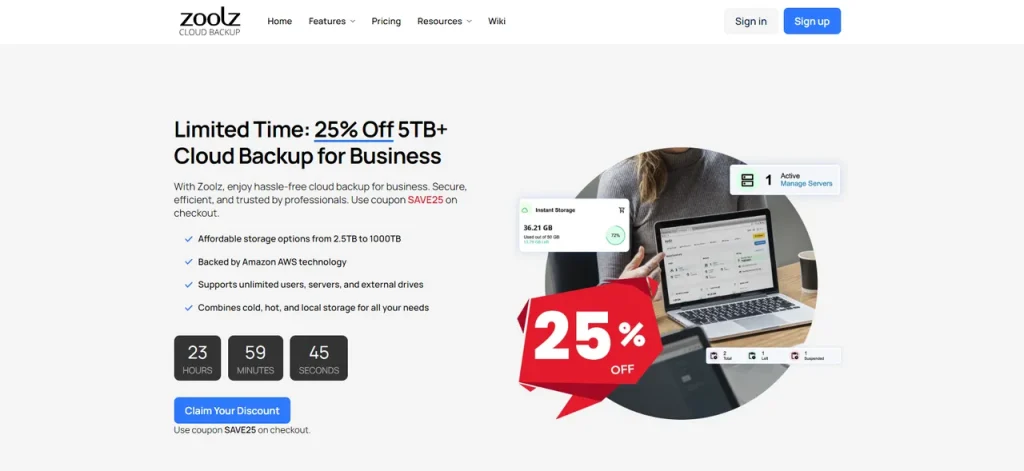
Overview: Zoolz is a cloud storage service that offers both active and cold storage solutions, making it a unique option for photographers who need to archive and preserve their photos.
Features: Supports a range of file formats, including RAW. Offers 100GB of free cold storage, with paid plans starting at $3.99/month for 1TB of active storage and 1TB of cold storage. Fast upload speeds, with download speeds depending on the plan.
Secure with AES-256 encryption. Provides mobile apps and integration with various backup and sync tools.
Advantages: Affordable pricing, a combination of active and cold storage, and good for long-term photo archiving.
Disadvantages: Limited free active storage and the user interface may not be as intuitive as some competitors.
20. Terabox
Overview: Terabox is a relatively new cloud storage service that has been gaining popularity lately. It offers a massive amount of free storage space, up to 1TB (1,024 GB), to its users. Probably this is the best free cloud storage solution for photos.
Features: Offers massive storage space. Supports file sharing and collaboration. Allows you to set up automatic backups of your files from your computer or mobile device. All files are synced across all your devices.
Security features include industry-standard encryption and secure servers. Has mobile apps for Android, iOS, and Windows.
Advantages: Massive free storage space. Easy to use and set up, Automatic backups and affordable paid plans.
Disadvantages: Limited customer support, No two-factor authentication (2FA) available, and limited integration with other apps and services.
Recommendations based on user needs
All photographers have unique cloud storage needs and budgets Here are some recommendations based on different requirements:
I. Best for professional photographers
For professional photographers who require enterprise-level features, security, and collaboration capabilities, the top recommendations are:
Tresorit: Tresorit offers industry-leading encryption and security, making it a great choice for photographers who need to protect sensitive client data. Its paid plans start at $12.50/month for 1TB of storage.
Box: Box provides robust collaboration tools, file sharing, and integration with productivity apps, making it a suitable option for photographers who work with teams or clients. Paid plans start at $10/month for 100GB.
Sync: With its zero-knowledge encryption and focus on privacy, Sync.com is a great option for professional photographers who need to ensure the confidentiality of their clients’ photos. Paid plans start at $5/month for 2TB.
II. Best for hobbyist photographers
For hobbyist photographers who are looking for affordable, user-friendly cloud storage options, the top recommendations are:
Google Drive: With 15GB of free storage and integration with the Google ecosystem, Google Drive is an excellent choice for hobbyist photographers. Paid plans start at $1.99/month for 100GB.
Dropbox: Dropbox offers a seamless user experience, mobile apps, and reliable performance, making it a great option for hobbyist photographers. The paid plans start at $9.99/month for 2TB.
pCloud: pCloud’s affordable lifetime subscription option of $175 for 500GB can be a cost-effective solution for hobbyist photographers who want to avoid recurring monthly fees.
III. Best for budget-conscious photographers
For photographers on a tight budget, the top recommendations are:
Backblaze: With unlimited storage for 99$/month per computer, Backblaze is a great option for photographers who need a reliable and affordable backup solution.
Icedrive: Icedrive offers 10GB of free storage and paid plans starting at $4.99/month for 1TB, providing a good balance of features and affordability.
Terabox: As its names suggest it offers a whopping 1 TB of free cloud storage for photographers. Also, you can opt for their 2 TB premium plan that costs 3.49$/month.
IV. Best for photographers prioritizing security
For photographers who prioritize the security and privacy of their digital assets, the top recommendations are:
Sync: Sync.com’s zero-knowledge encryption and focus on privacy make it a top choice for photographers who need to ensure the confidentiality of their photos. Paid plans start at $5/month for 2TB.
Tresorit: Tresorit’s industry-leading encryption and two-factor authentication make it a great option for photographers who require enterprise-level security. Paid plans start at $12.50/month for 1TB.
In conclusion
For photographers of all levels, from enthusiasts to seasoned pros, cloud storage has become a vital component of their toolkit. By leveraging cloud storage, photographers can safeguard their precious digital files, simplify their workflow, and foster seamless collaboration with clients and fellow creatives.
This comprehensive guide covers the top 20 cloud storage options, offering a diverse range of solutions tailored to meet the unique needs of photographers.

FAQs (Frequently Asked Questions)
1. What is the best cloud storage for photographers?
The best cloud storage depends on your specific needs, but top options include Google Drive, Dropbox, Microsoft OneDrive, iCloud, and Sync.com.
2. How much cloud storage do I need?
The amount of storage needed depends on your photo library size and file formats. Most photographers find 1TB to 5TB is a good range for storing photos.
3. Is cloud storage secure?
Cloud providers use security measures like encryption and two-factor authentication, but the level of security can vary, so research each provider.
4. Can I edit photos in the cloud?
Yes, many cloud services integrate with photo editing software, allowing you to edit directly within the cloud platform.
5. How do I share photos from cloud storage?
Cloud providers offer file-sharing and collaboration features, allowing you to share individual photos or folders via shareable links and permissions.